Storybook & Atomic Design - 1.14. - Apollo Provider
Hey! This post's a little over two years old now, so some of what's here might be out of date. Still worth a read, but if anything really matters to you, it's worth double-checking against a newer source too.
GitHub - whatjackhasmade/storybook-atomic-design-react
Contribute to whatjackhasmade/storybook-atomic-design-react development by creating an account on GitHub.
In this lesson, we'll be extending our layout wrapper component to include Apollo, but first, what exactly is Apollo and why do we need it in our application?
As our future application may (in our case will) require interfacing with a GraphQL schema, we will need a method of querying and mutating information within the browser.
Enter Apollo
Fortunately, there is a powerful React solution named Apollo.
Apollo will act as our method of communicating with the GraphQL schema during runtime, allowing us to query and mutate our API directly within our React components.
Read more about Apollo and how it works with React at - https://www.apollographql.com/docs/react/
To get started, we'll first create a new directory named
particles'directory with a single file `provider.jsx'-After creating the directory and files, we'll need to install quite a few packages to support us in constructing our Apollo Provider component.
Run the following command from a console in your projects parent directory.
provider.jsx
Finally, we will compose our Apollo Wrapper component which will allow us to tap into our GraphQL schema within any component using Apollo functions.
Again, you can think of this similar to how we constructed the ThemeProvider for our global layout component, by creating a HOC (High Order Component) which feeds data or functions to children components.
We first need to import
@apollo/react-hooks'to allow us to reference the provider component and pass in our client value which we'll create with the apollo-boost`.To create a new client, we will need to pass in one argument to our
uri'and the URL of the GraphQL API we want to interface with.Next, we'll create our custom `ApolloWrapper'React component which will accept children (all children components in our application) and construct an ApolloProvider surrounding the component, allowing all children (including our stories) to query and mutate our external API
Then we will import our new provider to our global decorator layout wrapper (
), and wrap all of our children components within the `ApolloWrapper'component, allowing all children to send queries and mutations to our schema.My First Apollo GraphQL Query
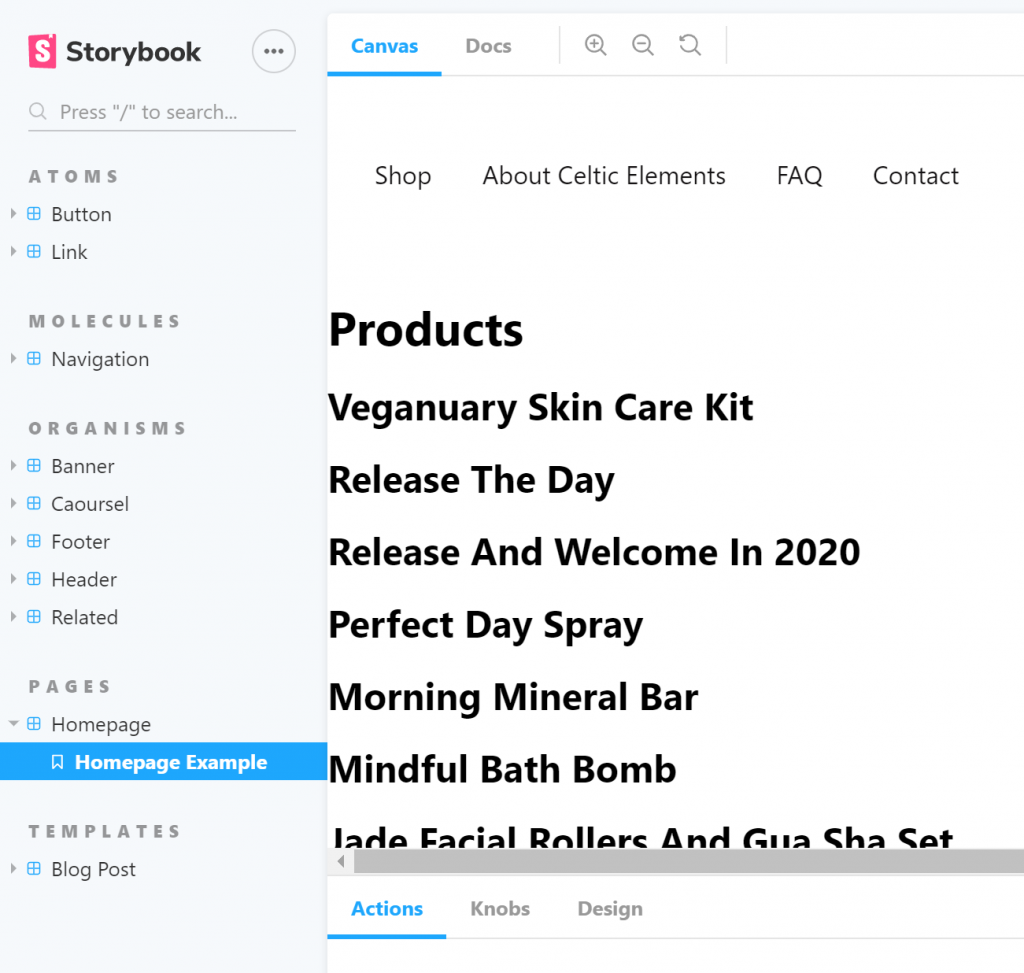
To make use of our new ApolloWrapper particle functionality, I've gone ahead and included a GraphQL query in our Homepage component.
The GraphQL query interfaces with a WooCommerce WPGraphQL store and returns a list of products in the store with the value of their name (titles).
We can then use this query in our application with a
dataerrorloading'to manage our homepage layout.If the query is still processing we will return a message of 'Loading...'.
If we hit an error with our query we get an upset error message returned.
But, but, but!
If everything went well, we'll have a JSON payload response in `data'that we can map over to return a list of products available in our store!
homepage.jsx
Conclusion
Oh boy did we cover a tonne in this lesson.
If you didn't quite understand any of the subjects we covered in this lesson, don't worry as the configuration is definitely advanced and most of the concepts go over my head at times.
Just as long as you can get your `
Further Reading

Introduction to Apollo Client
Discover Apollo Client, a powerful state management library for JavaScript. Learn how it simplifies fetching, caching, and more with GraphQL.

Why Apollo Client?
Learn how Apollo Client simplifies data management with GraphQL, offers intelligent caching, and unifies remote and local data.

Get started with Apollo Client
Learn how to set up your React app, fetch GraphQL data, and integrate Apollo Client seamlessly into your UI with this step-by-step tutorial.